
 Español
  Deutsch
  Italiano
  中文
中文  日本語
日本語  한국어
한국어  Português
  Русский
  Türkçe
  हिन्दी
  Tagalog
 The Soltokemons market, live from the chain
Creature NFTs come from two sources: the original Genesis collection and eligible rare variants caught and minted in the game. For caught variants, each species has one global Common, Holo and Shining NFT slot. The figures below are read directly from the Solana blockchain.
Recent sales
-
 Holo Runeslug sold for 0.15 SOL
 -
 Holo Pearplash sold for 0.19 SOL
 -
 Holo Tornadot sold for 0.13 SOL
 -
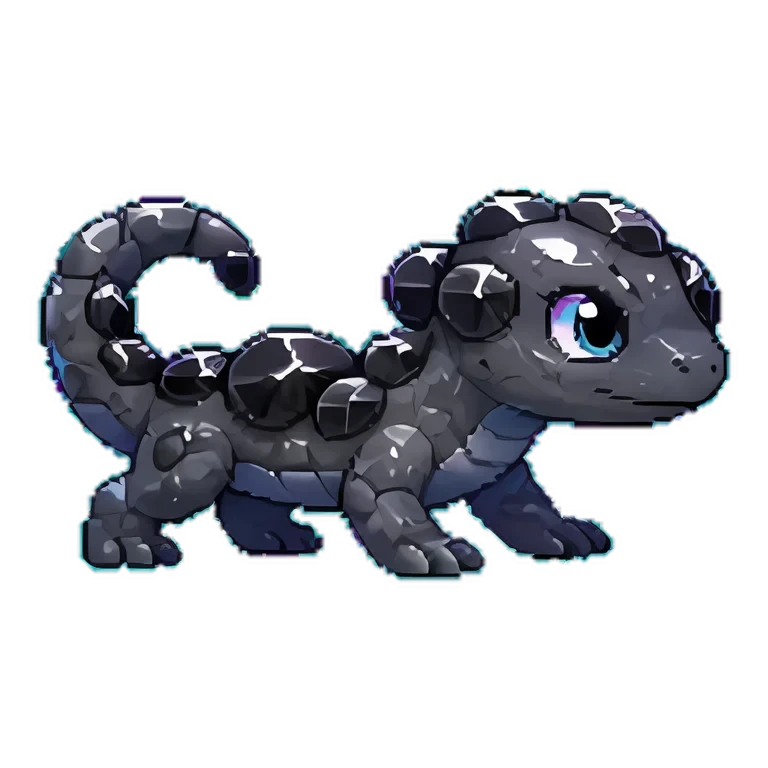 Onyxling sold for 0.20 SOL
On-chain data, updated 2026-07-09. Live listings and offers are on Tensor.
🔐 Official collection 6vTw…TYS2. Always confirm the verified-collection badge before you buy.
How to buy from other players
Soltokemons that holders put up for resale live on Solana NFT marketplaces. Here is the safe way to buy one on Tensor.
- 1
Open the official marketplace
Open Tensor from the official button on this site, or type tensor.trade yourself. Never follow a marketplace link from a direct message. Connecting does not move funds until you approve a transaction.
- 2
Open the Soltokemons collection
Open the official collection page from this site. Before trusting a listing, check the collection and its mint or collection address. Do not rely only on a name, image or visual badge.
- 3
Pick a Soltokemon and check the price
Browse the listings. The lowest price is the floor. Click a creature to see its element and any traits. Keep enough SOL in your wallet for the price plus a small network fee.
- 4
Buy now, or make an offer
Hit Buy Now to purchase instantly at the listed price. Or place an Offer (a lower bid) and wait for the owner to accept - your SOL is only spent if they take it.
- 5
Confirm in your wallet
Approve the purchase in your wallet pop-up. The Soltokemon lands in your wallet in seconds, and it's now usable in-game once you connect that wallet to Soltokemons.
Review the exact total, fees, collection address and asset in the marketplace and wallet prompt before signing. Never share your seed phrase or private key.
How to sell your Soltokemon
Your Soltokemons are real NFTs in your own wallet, so you can resell them on any Solana marketplace. Here is the safe way to list one on Tensor.
- 1
Open the official marketplace
Open Tensor from the official button on this site, or type tensor.trade yourself. Never use a marketplace link from a direct message. Connecting your wallet proves control of the address; it does not move an asset by itself.
- 2
Find your Soltokemon
Open your portfolio (your Portfolio on Tensor) and click into your Soltokemon. Always open it from your own wallet, then confirm it shows the verified collection badge so you list the real piece.
- 3
List at a price, or accept an offer
Set a listing price in SOL and wait for a buyer, or accept the best available offer for an immediate sale. Review the asset and every amount before signing.
- 4
Check the amount you receive
Before confirming, review the net amount and all fees shown by the marketplace and wallet. Those transaction details are the current source of truth, because fees and royalty handling can change.
- 5
Sign in your wallet
Approve the listing in your wallet pop-up. A plain listing only records your price and costs a fraction of a cent in network fees; your Soltokemon stays yours until someone buys. When it sells, SOL lands in your wallet automatically. You can re-price or Delist anytime with one more signature.
Use only the official collection page and read every wallet prompt. Never share your seed phrase. A legitimate sale requires wallet approval, but nobody needs your recovery words or private key.